How I moved a 10-year-old WordPress site to Next.js in one workday | karotammela.fi
A project diary about moving Hiihtogreeni.fi from WordPress to Next.js 16 with AI while preserving Google visibility, content, and legacy URLs.
How I moved a 10-year-old WordPress site to Next.js in one workday with AI
Many company websites reach a point where their content and Google visibility are valuable, but maintenance has become unnecessarily heavy. In this project I moved the ten-year-old WordPress/Elementor site Hiihtogreeni.fi to a modern Next.js 16 architecture in one workday.
The goal was not simply to build something newer and faster. The important part was preserving the business value in the existing content, images, URL structure, and search visibility.
TL;DR
- Starting point: Hiihtogreeni.fi ran on a heavy WordPress/Elementor combination. The content and SEO were solid, but maintenance was cumbersome.
- Goal: Move to Next.js 16 without losing search traffic or legacy URLs.
- Implementation: AI-assisted development with Kilo Code, structural auditing, static generation, and exact redirects.
- Result: A fast, secure, low-maintenance site. Form spam dropped to zero after the rebuild.
Phase 1: Understand the old site before building the new one
The biggest risk in a website redesign is starting to code before mapping the old content and URL structure. I began by collecting the visible text, page structures, links, image references, and contact details from the old site with Kiloclaw, a hosted OpenClaw implementation.
I asked GPT-5.6 Sol to compare the collected data with the live site and create a chronological migration plan. The audit found an old English gallery URL (/en/gallery/) that was still public and indexed by Google. Without this phase, that URL would easily have been broken in the redesign.
AI produces code quickly, but speed only matters when the inputs and goals are correct. A visually successful new site is still a failed project if important pages disappear from Google.
Phase 2: Visual identity and brand DNA
The technology stack became Next.js 16, React 19, Tailwind CSS 4, and TypeScript. Most pages can be generated as static HTML, so JavaScript is loaded in the browser only where it is needed, such as the mobile menu, image gallery, and contact form.
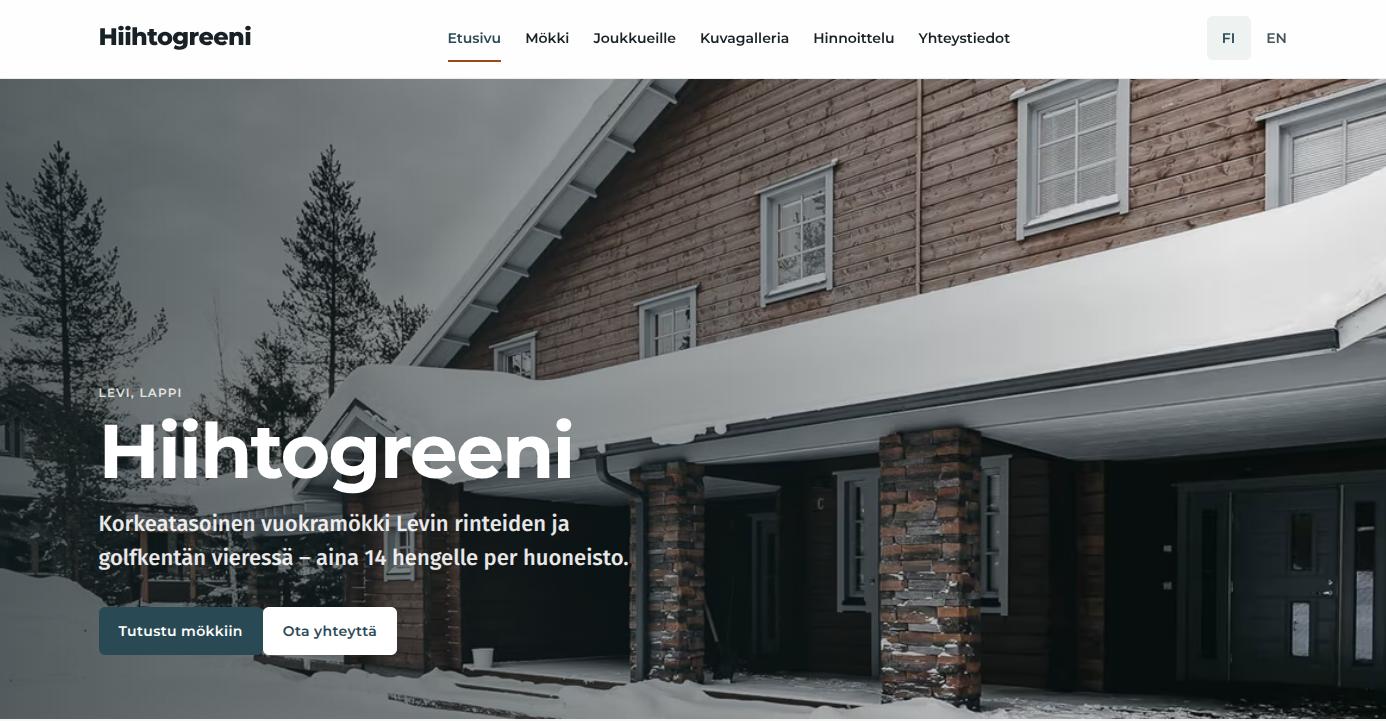
The new Hiihtogreeni.fi: a familiar brand with a cleaner and faster interface.
Together with AI, I defined the visual direction as Arctic calm, timber warmth. It is built around strong winter photography, quality interiors, the familiar blue-green shade (#486C7A), and a warm orange accent.
Phase 3: SEO protection and preserving legacy files
WordPress often stores images and files in paths such as /wp-content/uploads/2022/10/.... External sites and Google Image Search may still link to those URLs. I recreated the original WordPress directory structure in the new Next.js project's public/ directory. The old images now return a real 200 OK response without unnecessary redirects.
Redirects and 410 Gone
- The old English homepage and gallery permanently redirect (
301) to/en/home/and/en/photo-gallery/. - The old WordPress sitemap
/wp-sitemap.xmlredirects to the new sitemap. - System paths such as
/wp-admin/,/feed/, and/wp-json/return410 Gone, clearly telling search engines that they no longer exist.
Phase 4: Performance, LCP, and manual QA
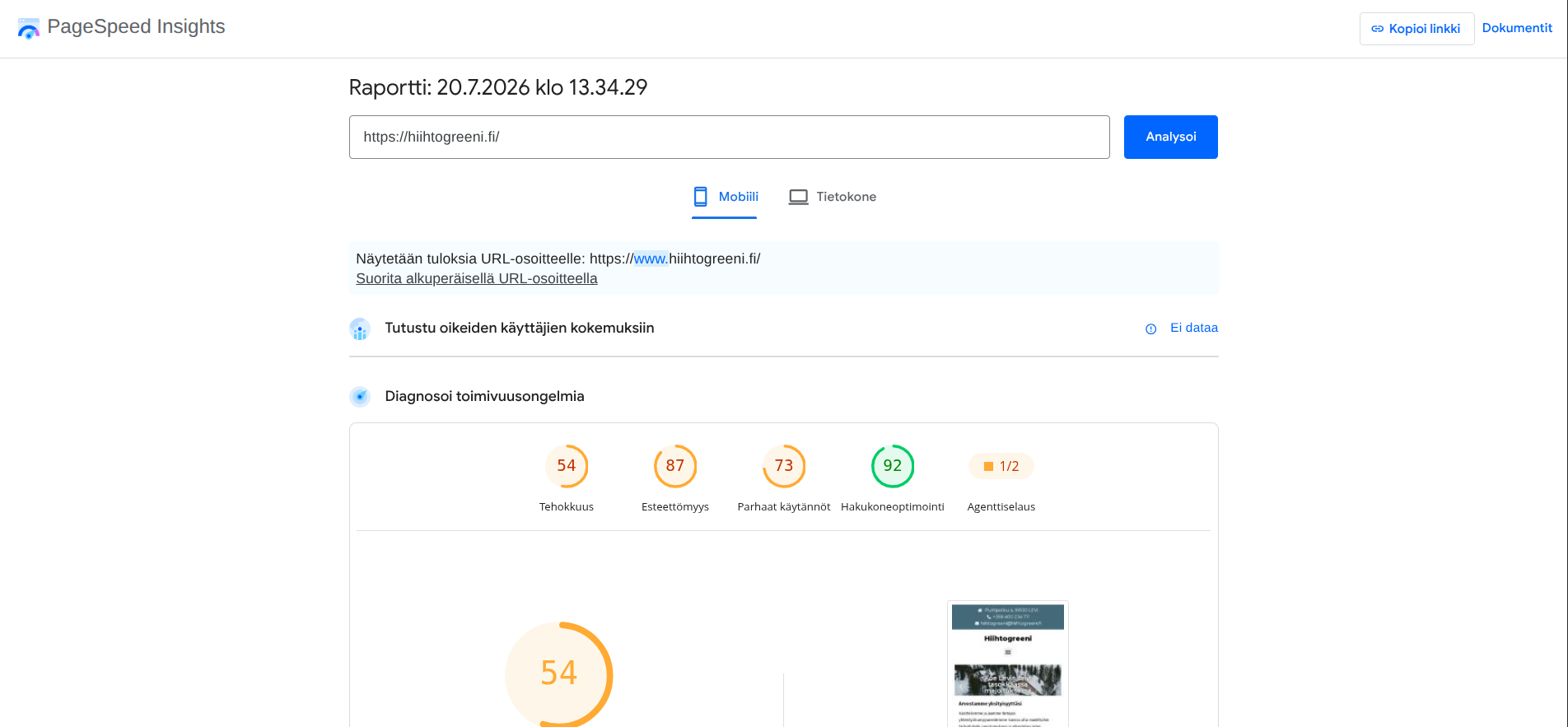
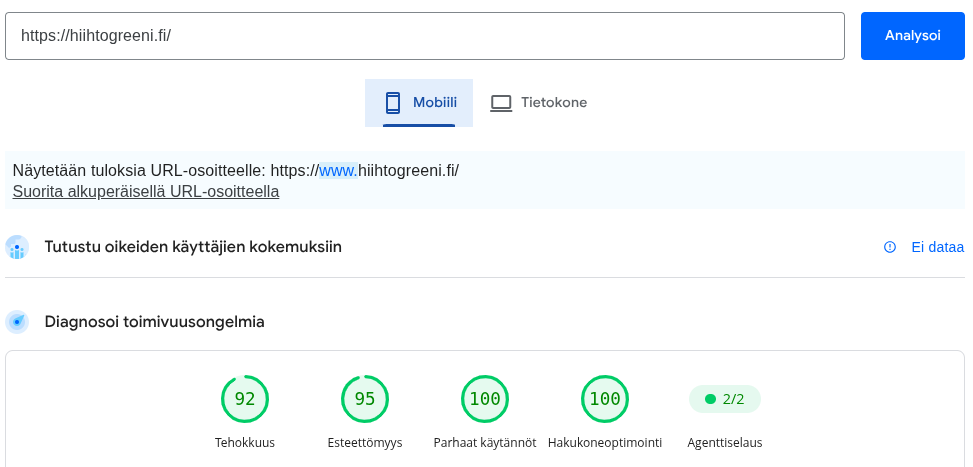
AI is not infallible. Manual QA found a mobile menu trapped by backdrop-filter; rendering it through a portal into document.body fixed the issue. The initial mobile Lighthouse performance score was 72 because the hero image loaded as a heavy JPEG. An AVIF/WebP LCP path with <picture> and preload raised the score to 95 and reduced LCP to 0.6 seconds.
Phase 5: Privacy first, contact form, and analytics
I used Resend through a Next.js server route, keeping API keys out of the browser while filtering spam and duplicate submissions server-side.
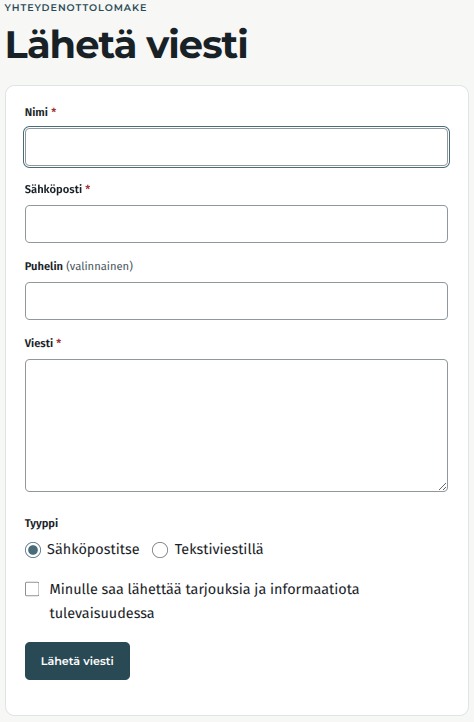
Before the rebuild, the form could generate several spam messages per day. Afterwards, the amount dropped to zero. Google Analytics 4 runs in Consent Mode v2 and activates only after explicit permission. We track conversions without collecting personal data.
Project figures
- Total active work: about 8 hours
- Total AI API cost: approximately €9.55
- Tools and models: Kiloclaw, GPT-5.6 Sol, Qwen3.7 max, and Hy3
Conclusion
AI does not replace human understanding of business goals and SEO, but it is powerful when tasks are scoped and results are checked in stages. With less than ten euros in AI costs and roughly one workday of effort, a decade-old WordPress installation became a modern, fast Next.js application without anything disappearing from Google's perspective.